TUTORIAL
Dialpad A2P Guide
Introduction
What is This Guide?
This guide is created to help you create a Dialpad account and apply for the ability to send SMS messages so that you can text within Effie.
Why Do I Need This?
To use Effie, you must connect it to a communications platform. Some popular examples are Dialpad, Twilio, and Smartphone Dialer.
Effie currently only supports Dialpad. Connecting Dialpad to Effie is required to: - Send SMS - Receive SMS - Read Message History - Make Calls - Receive Calls - View Call History
Federal Regulation
Application‑To‑Person (A2P) platforms like Dialpad must register your company with The Campaign Registry (TCR) to ensure compliance with federal regulations. You must submit an application to Dialpad and have it approved before sending messages within Effie.
Applications can take up to 10 business days to be approved, and longer if revisions are required.
This guide ensures your website and application meet regulations so you can get approved quickly and without revisions.
Things You Will Need
- Company Website (Must be a real website, not Facebook Page)
- Editable Website
- Privacy Policy Page
- Terms & Conditions Page
- Dialpad Account
- Company Legal Name
- Company Tax ID (EIN)
What You’ll Do
- Audit your website for required pages and disclosures.
- Create a Dialpad account.
- Submit Brand and SMS applications in Dialpad.
- Once approved, generate an API key and share it with us.
Dialpad Pricing
Plan required: Dialpad Connect Pro
- $35/user per month (monthly)
- $25/user per month (annual)
SMS overage: $0.008/message (US outbound beyond 250/mo)
More info: https://www.dialpad.com/pricing/
The Process
Step 1: Website Audit
Company Name
All mentions of your legal entity on your website must exactly match your Tax ID/formation documents.
For example: If your EIN is under Home Buyers LLC, do not use “Home Sellers LLC.”
Privacy Policy
Your site must include a Privacy Policy page (linked in the footer or similar). Ensure it contains the following SMS Terms & Conditions segment:
SMS Terms & Conditions:
By subscribing to “Company Name” SMS services, you agree to receive text messages from us. “Company Name” will send SMS messages to update customers on project statuses and enhance the overall experience. For assistance, contact us at (XXX) XXX‑XXXX. To opt out, reply “STOP” at any time. Message frequency may vary, and standard rates may apply.Text/SMS Marketing:
If you opt into SMS from “Company Name,” you will receive texts at the number provided.Frequency of Messages:
Message frequency may vary based on orders and account activity.Opt‑Out and Support:
To stop messages, text “STOP.” A confirmation will be sent. To re‑subscribe, text “START.” For help, text “HELP.”Wireless Carrier Rates:
Standard message and data rates may apply. Carriers are not responsible for delays or undelivered messages.Confidentiality:
We keep your number confidential and do not share it for marketing. For operational purposes, your info may be shared with service providers solely to deliver these services.
Terms & Conditions
Your site must include a Terms & Conditions page (linked in the footer or similar) describing how users may use your service.
Step 2: Dialpad Account Creation
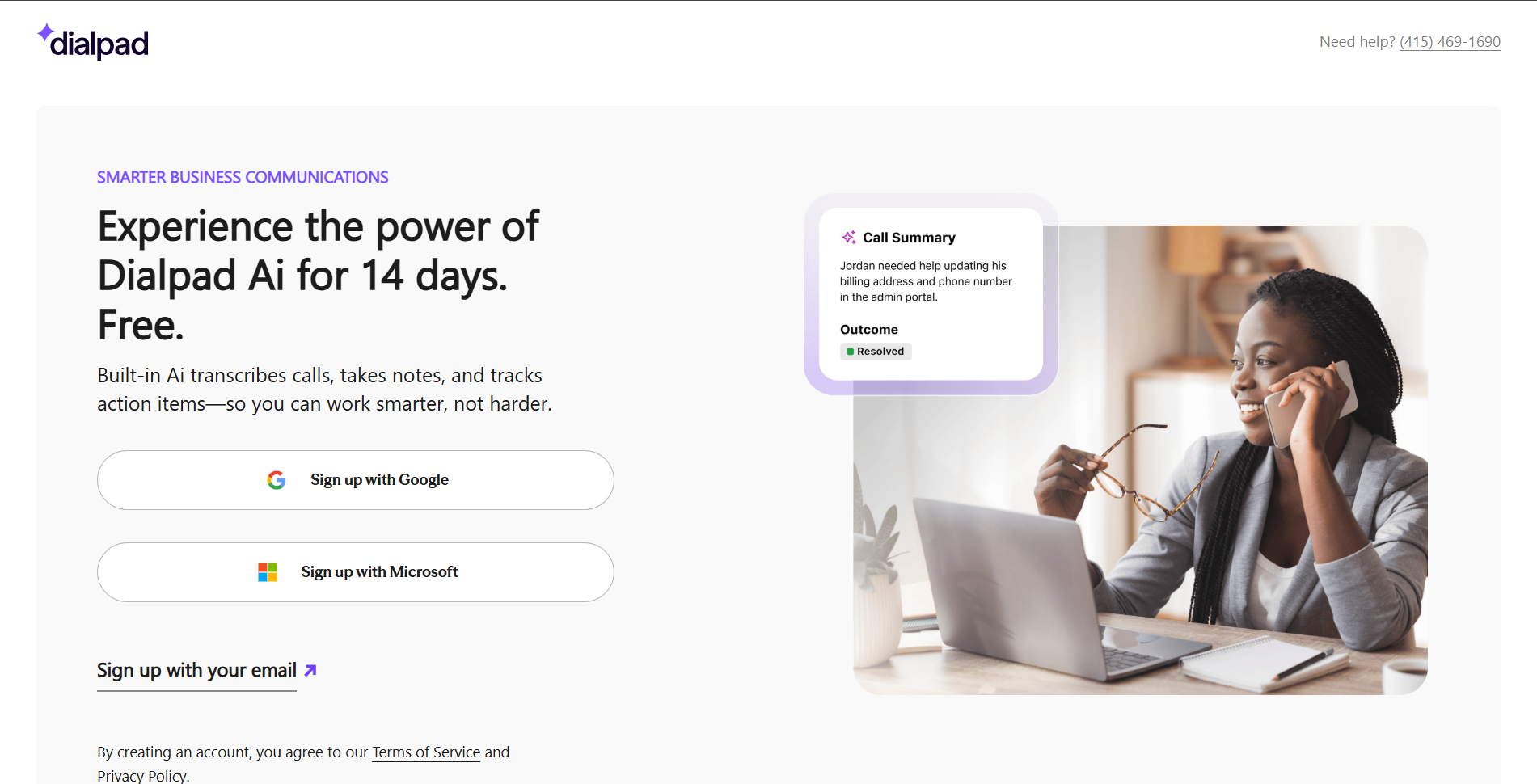
- Go to https://dialpad.com/signup and create your account.
- Choose Local number → Continue.
- Use provided number or Choose My Own.
- Select Pro Plan (required).
- Choose Monthly billing.
- Enter company info → Continue.
- Enter billing & payment info → Finish.
Step 3: Dialpad SMS Registration
Follow along with this step-by step video
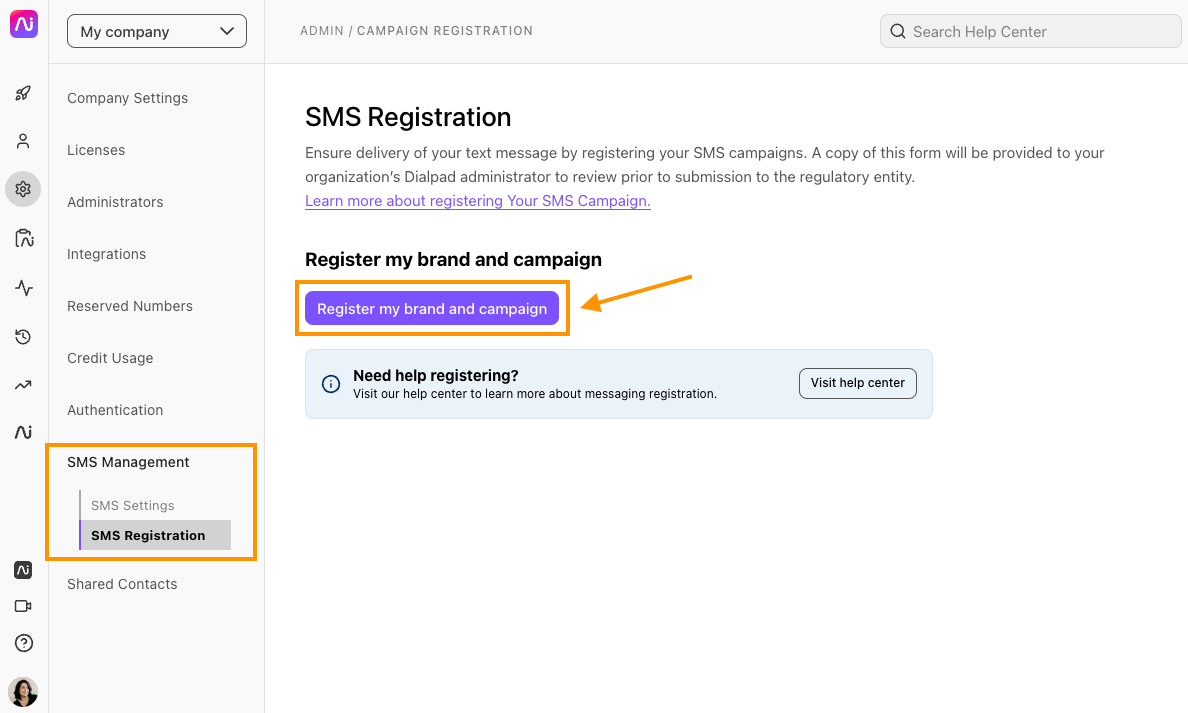
Go to https://dialpad.com/campaignregistration and click Register my brand and campaign. Complete both Brand and SMS forms.
Company & Brand Information
- Company Type: Private Profit
- Legal Company Name: Be sure to put your company name exactly as it is registered with the IRS and how it appears on your Tax ID form or formation documents.
- Brand Name (DBA): If your company does business under a different name than the one you registered with the IRS, enter that in the ‘Doing Business As’ (DBA) field.
- Contact Information: Provide the email address and phone number for a contact at your company with knowledge of the registration details.
- Industry: Select the industry category that best aligns with your organization (usually Real Estate)
- Website: Your company’s primary website. Provide the full URL, such as http://www.example.com or https://www.example.com. Make sure this is the website for the company whose legal name you entered.
- Company Address: The legal address associated with your business registration and Tax ID.
- Tax ID Number: The Tax ID number associated with the company’s name, address, and other information.
Campaign Description
The campaign description is given to the government and third-party reviewers so that they know who your brand sends messages to, why, and with what content.
Approvers may assume a Hair Salon would message clients about appointments, but the messages are actually about the stylists’ schedules. In this case, the campaign description would mention the content of the messages and note that only employees or contractors are messaged about work schedules. Again, the more details, the better.
Example description we recommend:
BRAND NAME: We buy houses for investment purposes. We individually send SMS / Texts to our business partners (real estate agents) containing information about a property they have put up for sale on public listing websites like Redfin. They are not in an automated campaign. We already call and text them using our personal phones, and we want to use Dialpad to make it easier to manage these conversations. We're a small team of 3 people with 1 phone number each.
Do your messages ever have an age restriction?
- Choose No
Do your messages ever have information on direct lending or loan agreements?
- Choose No
Recipient Consent Call‑To‑Action
Recipient provides their permission through
- Choose Verbally with consent
How do you converse with your customer?
- Choose Over the phone
Who from your organization speaks with the customer?
Buyer / Real Estate Investor
For what reason is your organization asking customers to consent to receiving SMS Messages?
Communications about their property listing which they have publicly on Redfin
How does your organization log consent from recipients?
- Choose Maintaining it in a system (e.g. CRM)
I understand that my organization must include the following topics in verbal communication with customers
Check the box.
Provide more details around how your organization communicates and receives consent from your recipients before texting them.
While speaking with the Real Estate Agent over the phone, the Buyer / Real Estate Investor asks the Agent if they would like to receive SMS. Here is the script that we use: "Thank you for chatting with us today. We at [BRAND NAME] love working with agents. If you ever don't want to talk with us, you may reply STOP to opt-out of future messages, or reply HELP for more information. Message frequency varies and message and data rates may apply. We do not share or sell your information to third parties, and you can review our privacy policy on our website at [PRIVACY POLICY LINK]". We maintain consent of our recipients in a CRM.
Do the messages follow a pattern of recurrence?
No
What’s the amount and frequency of messages sent to a recipient?
It varies
Who are your SMS recipients?
Vendors / Business partners
Provide a support contact channel for your recipients in the event they require assistance.
Write an email address. Preferably one that has a domain matching your company / brand name.
Messaging Types
Select all the SMS/MMS campaign types your company will send.
- Choose Conversational messages
Conversational Messaging Examples
Provide at least two examples of the main message type you send.
You must provide two examples of conversational messages you might send. We recommend:
-
BRAND NAME: Hi John, this is Eric. Thanks for chatting with me today, we can continue this conversation via text. You may opt-out of further messaging by replying STOP. You may ask for help by replying HELP for more information.
-
BRAND NAME: Jennifer this is Eric, thanks for speaking on the phone yesterday. As discussed, please send the photos of the house when you get the chance. Thank you! You may opt-out of further messaging by replying STOP. You may ask for help by replying HELP for more information.
Make sure: - It contains your Legal Company Name as filled out in the form - It appears conversational in nature, not salesy - At the end of the message, always put: - “You may opt out of further messaging by replying STOP. You may receive help by replying HELP.” - This will not be in your actual messages. This is just to get approved.
Consent Messages
Mobile carriers require businesses to obtain consent before sending SMS messages. Use the following presets:
- Opt-In:
BRAND NAME: Thank you for opting in to receiving SMS messages from us. Message frequency may vary. Message and Data Rates may apply. Reply STOP to stop receiving messages from us. Reply HELP for more information.
- Help:
BRAND NAME: For help or information please contact us via phone at [SUPPORT NUMBER] or via email at [SUPPORT EMAIL] Reply STOP to opt-out of messaging.
- Opt-Out:
BRAND NAME: You will receive no further messages from us. If this was in error, reply UNSTOP to continue receiving messages. Reply HELP for more information.
Under each message, make sure the checkbox is unchecked so Dialpad won’t automatically put these messages in your texts.
Privacy Statement
Provide the link from which the privacy statement can be accessed online
Provide a link to your privacy policy on your website. The Privacy Policy must clearly state that personal information will not be shared or sold to third parties for marketing purposes—use the template from earlier in the guide. This should be a page on your website and the website URL should match your company name or brand name. If you don’t have a website, you can upload it to a google document instead. If you use a google doc, make sure you make the document public.
Wrapping Up
The rest of the form is very self explanatory. Once done, registration can take about 10 business days to complete. You will see an Error or an Approval on the screen where it says ‘Pending Registration Approval’ when your campaign has finished review.
If you see an error in your registration status, contact Dialpad A2P service at (925) 336 - 3650. They can check your registration and help you fix any issues to get it approved. Please be prepared to share your Dialpad Main Line phone number with them, which can be found at https://dialpad.com/settings
Text Message Campaign Registry FAQ
Please read this link for additional info and FAQ about these campaigns. https://help.dialpad.com/v1/docs/text-message-campaign-registry-faqs
API Key Generation
Once your SMS campaign and brand registration are approved, generate an API key:
1. Go to My Company → Authentication → API Keys
2. Click Add key
3. Enter the API key’s name and set it to never expire
4. Select all scopes
5. Save & copy the key to your clipboard - you cannot retrieve it again!
6. Email nathan@usefrontdoor.com with your company name and API key.
Note: If you don’t see Authentication, contact Dialpad support via chatbot - they can enable it within minutes.
That's it! You're good to go.